To mount a TV on the wall, you bolt a bracket to the back of the set, lag a matching wall plate into two wooden wall studs, then lift the TV onto the plate until the locking tabs click. Budget about 90 minutes for the job and a second pair of hands for the lift.
Is it easy? The drilling is straightforward once you know where your studs are. The part that decides whether the install is safe is whether the weight lands in framing or in drywall, because drywall on its own cannot hold a television, no matter what anchor you use.
The weight goes through the bracket into the wall plate, through the lag bolts, and into the studs behind the drywall. Skip the studs and the same force tears the wallboard off the framing instead. That single mistake accounts for most cracked walls I get asked about.
Modern flat panels are lighter than the sets they replaced, which is why some people get away with more than they should. A 55-inch TV still lands somewhere around 40 to 50 pounds with the wall plate, so treat it as a permanent load.
Table of Contents
- 1What You Need
- 2Pick the mount type before you buy anything
- 3Match the wall to the fastener
- 4Step-by-Step
- 51. Check the TV, bracket, and wall
- 62. Mark a level, centered mounting position
- 73. Attach the mounting plate to the wall
- 84. Attach the bracket arms to the TV
- 95. Lift, connect, and secure the TV on the wall
- 106. Hide cables and test the installation
- 11Common Mistakes When You Mount a TV on the Wall
- 12Hanging the TV on drywall alone
- 13Using lag bolts that are too long
- 14Skipping the level
- 15Lifting the TV alone
- 16Forgetting rear clearance
- 17Measuring the position on a finished wall without checking the outlet
- 18Mounting in a rental without permission
- 19Frequently Asked Questions
- 20Can I mount a TV on drywall without finding a stud?
- 21What type of wall mount should I choose for my TV?
- 22How high should I mount a TV on the wall?
- 23Can I mount a TV on a rented wall?
- 24Do I need a professional to install a TV wall mount?
What You Need
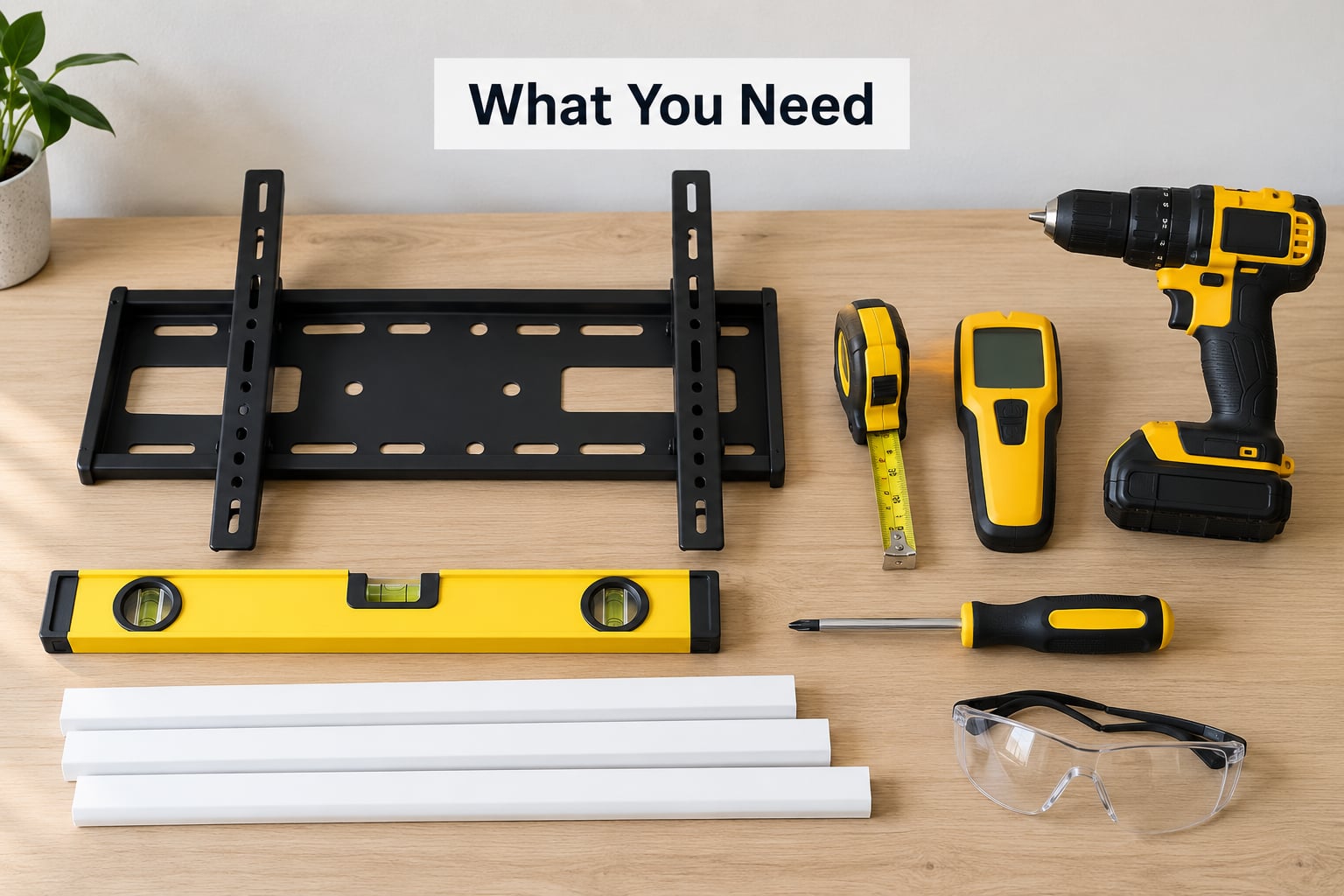
Most people can do this job with tools they already own. The list below covers the whole install, including the two items people forget, which are the fasteners and something to protect the screen when it is face down.
- Stud finder — the single most useful tool here. A magnet and a length of string work if you don’t own one.
- Cordless drill or driver — a driver is nicer for the final tightening, since you control the torque.
- Spirit level — a 9-inch level is plenty; a 3-foot level makes wide plates easier.
- Tape measure — for the VESA pattern, the viewing height, and cable reach.
- Socket wrench — needed for the nutted lag bolts that come with many wall plates.
- Pencil or marker — for stud marks and bracket outlines.
- Safety glasses — masonry drilling throws dust and chips.
- A blanket or thick towel — for laying the TV face down.
- Cable cover or in-wall cable kit — see step 6.
On fasteners, use the ones that come with the wall plate when they’re the right length for a wooden stud. Otherwise you need lag bolts sized to the plate’s hole diameter for studs, or masonry anchors with a masonry bit for brick or concrete.
Pick the mount type before you buy anything
Fixed, tilting and full-motion mounts all use the same wall plate, but they behave very differently once the TV is up. Choose based on where you sit and what the light does, not on looks.
| Mount type | How it moves | Best for | Watch out for |
|---|---|---|---|
| Fixed | Does not move | Someone seated at a fixed spot, lowest profile | No glare control, no angle adjustment |
| Tilting | Tilts down a few degrees | TV mounted high, windows behind the sofa | Cables need a little slack at the top |
| Full-motion | Swivels, tilts, pulls out | Seating off to one side, open-plan rooms | Needs deep wall clearance and a loop of slack cable |
| Corner | Fixed at an angle | TV in the corner of a room | Least flexible, needs accurate stud alignment |
A full-motion mount swings several inches off the wall, so it will not sit flush and it needs more cable slack than a fixed mount. That is the trade most people underestimate.
Match the wall to the fastener
Wood studs are the easy case. Everything else changes the hardware and sometimes the tool.
| Wall | What to drill into | Fastener |
|---|---|---|
| Drywall over wooden studs | Two studs | Lag bolts sized to the plate |
| Hollow drywall, no studs | Nothing structural | Snap toggles rated above the TV weight, or add blocking first |
| Brick or concrete | The masonry itself | Masonry anchors with a masonry bit |
| Metal studs | Metal framing | Self-drilling metal screws or a mounting rail, not wood lag bolts |
If you plan to add blocking, a 3/4-inch plywood strip or a 1×4 screwed across two studs is the standard fix, and it turns a risky mount into a boring one. Screw the strip into the studs with 1-5/8-inch drywall screws, then screw the wall plate into the strip.
Step-by-Step
1. Check the TV, bracket, and wall
Measure your VESA pattern before anything else: the distance between the horizontal and vertical mounting holes on the back of the TV, usually marked VESA 400×400 or similar. Many brackets accept a range of patterns, so the holes on your TV just have to fall inside it, not match exactly.
Check the TV’s weight on the spec label, then check the bracket’s load rating, and treat the lower of the two as your working limit. Also confirm the wall behind is drywall over studs rather than a hollow partition wall, which is common in apartments and basements.
2. Mark a level, centered mounting position
Sit in the chair you actually use and look straight ahead. A good target is the centre of the screen at or slightly below your seated eye level, roughly 10 to 15 degrees below horizontal, rather than the middle of the wall.
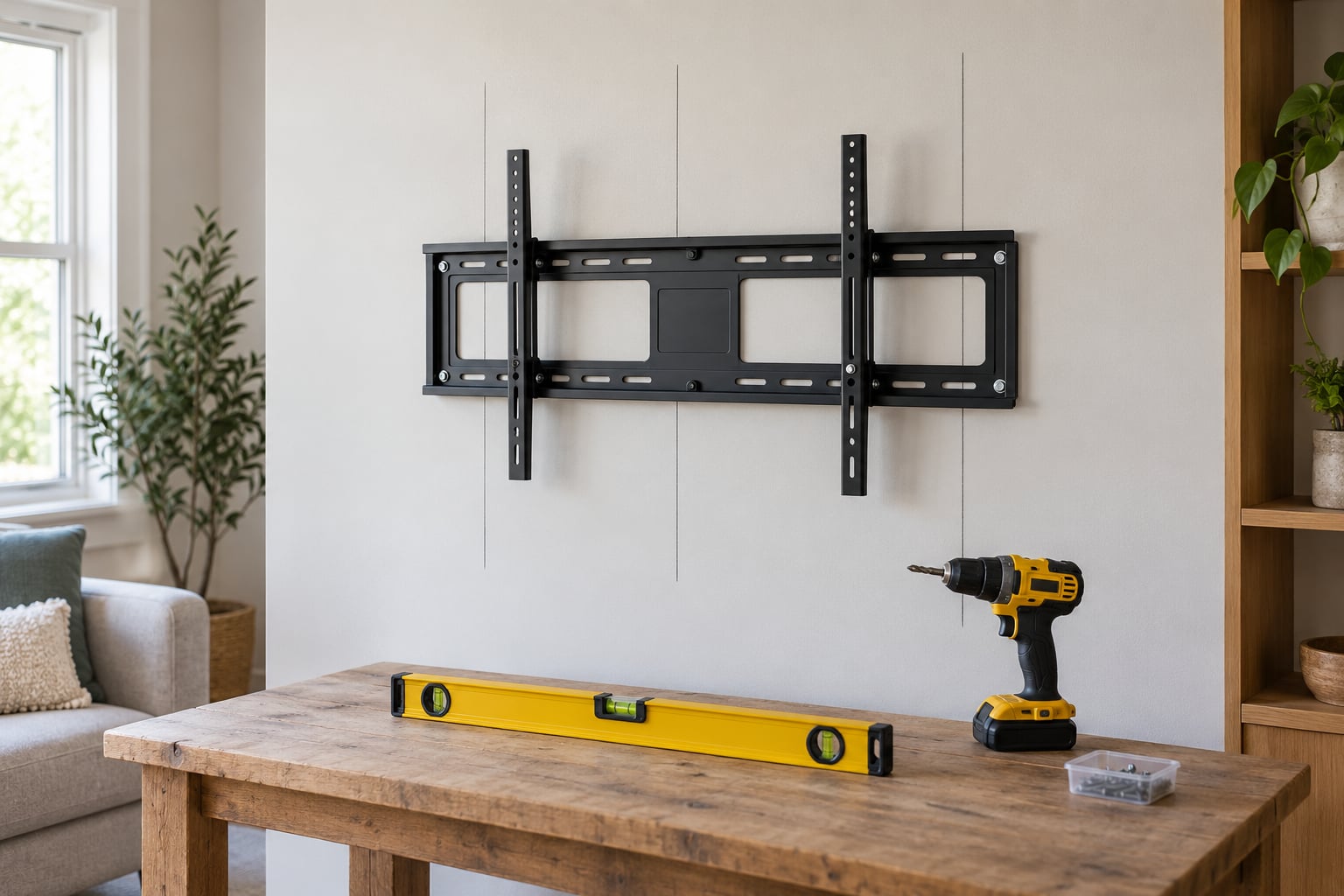
Hold the wall plate up, mark the outline with a pencil, and check the top of the plate against any fireplace mantel or shelf before you commit to a height. Leave enough room above the set for the mount’s tilt mechanism and for cables to bend without kinking.
Line the plate’s centre with the spot you marked, hold the level against it, and draw the level line across the wall so every stud mark sits on the same height.
3. Attach the mounting plate to the wall
Run the stud finder across the wall at the marked height and mark both edges of each stud. Studs are usually 16 inches on centre, and roughly 1.5 inches wide, so a wide plate often spans two or three of them.
Now look for anything dangerous before drilling. Move any outlet covers aside and look for a gap in the stud pattern, which often marks where plumbing or wiring runs. Drill slowly and stop the moment you hit resistance that feels different from drywall.
Fit a washer over each fastener head so it cannot pull through the plate hole. Drill pilot holes slightly smaller than the lag bolts, drive them in, and check the level again before tightening fully. Tighten snug, then re-check; a plate that shifts as you tighten is telling you the pilot holes were too big.
For brick or concrete, switch to a masonry bit and masonry anchors. For metal studs, stop and follow the framing manufacturer’s guidance, because wood lag bolts will spin in a metal stud instead of gripping it.
4. Attach the bracket arms to the TV
Lay the TV face down on a blanket on a flat surface. Screen-down on a hard floor is the fastest way to crack a panel, and no bracket is worth that.
Match the bracket arms to the VESA holes you measured, insert the supplied bolts or standoffs, and finger-tighten first. Use the standoffs or spacers for models with a raised back so the plate does not press against the electronics. Tighten in a cross pattern, alternating bolts, so the arms stay square.
Before moving on, lift the bracket edge slightly and confirm all four corners are supported evenly. If one corner lifts, a standoff is missing or a bolt is under-tight.
5. Lift, connect, and secure the TV on the wall
This is the step where knowing how to mount a TV on the wall safely earns its keep: the wall plate is a cantilever, and a falling set hurts. Always have a second person for anything over about 50 pounds, and lift as a pair rather than having one person take the weight alone.
Have your helper hold the TV upright while you walk it back to the plate, then guide the bracket hooks into the top of the wall plate. Plug the power and HDMI cables in before you seat it fully, since reaching the ports afterwards on a fixed mount is awkward.
Lower the TV onto the hooks, then tighten the locking bolts or pull the securing straps down. Tug the bottom of the set gently; it should not shift or rock. Re-level by loosening one lag bolt at a time rather than forcing the plate.
6. Hide cables and test the installation
Run the cables after the TV is on the wall, but plan the route first. The simplest option is a surface raceway: a white channel that sticks to the wall and hides the run from the plate down to the nearest outlet. Cut it at the corner where the wall meets the baseboard and run power and HDMI together inside it.
An in-wall cable kit looks cleaner but means cutting a hole in the wall and running the cable through the cavity, so check that nothing is in the way before you open it up.
Leave a loose loop behind a full-motion mount so the cables do not stretch or snag when you swing the TV out. Cables pinched between the bracket and the wall are the most common thing I find on post-install checks, and they fail quietly over months.
Finally, plug everything in, confirm picture and sound, and then check the mount by putting a hand on the frame and pushing gently upward and side to side. Nothing should move. Wait a week and check again, because settling happens after a few days of normal use.
Common Mistakes When You Mount a TV on the Wall
Almost every failed install comes down to one of a handful of mistakes, and most of them happen in the first ten minutes.
Hanging the TV on drywall alone
Drywall is a facing, not a structure. Anchors in drywall can hold a curtain rail and will eventually tear out with a television on the end. A cracked wall is very often the end result of a plate screwed into drywall only. Find studs or add blocking.
Using lag bolts that are too long
A bolt that reaches past the stud can burst out the back of the wall or, worse, meet a pipe or a live wire. If your bolt is longer than the plate’s hole allows, change the bolt rather than drilling deeper.
Skipping the level
Marking two holes on a pencil line drawn with a 4-foot level guarantees a small lean. Use a short level on each mark and re-check after the pilot holes are drilled, since the drill often walks the bit.
Lifting the TV alone
Under 50 pounds, one person can manage a controlled lift with a lift strap. Above that, or for 65-inch sets and larger, get help. Modern TVs are thin and awkward, which makes them harder to hold than their weight suggests.
Forgetting rear clearance
A full-motion mount needs space behind the set to pull out. If the wall is tight, choose a low-profile fixed or tilting mount instead of forcing a bracket that has nowhere to go.
Measuring the position on a finished wall without checking the outlet
Check where the power and signal cables will reach before drilling. A plate positioned 6 inches off from the outlet is common and easy to fix before the holes, awkward afterwards.
Mounting in a rental without permission
Two lag bolts leave two small holes. Ask first anyway, and patch them with filler when you take the mount down, because most leases treat unauthorised drilling as damage regardless of size.
Frequently Asked Questions
Can I mount a TV on drywall without finding a stud?
Not safely, and not on drywall alone. Drywall is a facing rather than a structure, so it can tear out under a steady load no matter which anchor you use. If no stud lines up, screw a 3/4-inch plywood strip or a 1×4 across two studs with 1-5/8-inch drywall screws and mount to that. Snap toggles rated above the TV weight are the fallback, not the first choice.
What type of wall mount should I choose for my TV?
Fixed for a single seated viewing spot and the lowest profile. Tilting if the set sits high or a window is behind you, since it cuts glare without needing depth. Full-motion for seating off to one side or an open-plan room, but it needs more clearance behind the wall and a loop of slack cable. Corner mounts suit awkward spaces and nothing else.
How high should I mount a TV on the wall?
Aim for the centre of the screen at or slightly below seated eye level, around 10 to 15 degrees below horizontal. Sit in your usual chair, look straight ahead, and mark that height on the wall. In a bedroom you watch from lying down, mount lower instead. Leave clearance above the set for the tilt mechanism and for cables to bend without kinking.
Can I mount a TV on a rented wall?
Ask your landlord first, because two lag bolts are small holes and most leases treat unapproved drilling as damage. If permission is refused, a floor stand or a TV table is the answer. If it is granted, take photos, use painter’s tape to mark positions, and fill the holes with patching compound before you leave. Removing the mount properly is a ten-minute job.
Do I need a professional to install a TV wall mount?
Not for a standard drywall-over-stud install, which is a 90-minute job with basic tools and a helper. Hire someone for brick or concrete, metal stud framing, older walls where the studs are unpredictable, a set over about 50 pounds you cannot lift safely, or any wall with plumbing and electrical you are not confident about. A qualified installer also carries liability if the mount fails.
Start at step one and do not skip the compatibility checks: measure your VESA pattern, weigh the TV against the bracket’s load rating, and find two studs before anything is drilled. Get the plate level and into framing, then hang the set with a second person and route the cables with enough slack to move.