How to cancel streaming services you forgot about takes about five minutes per service. Find the charge, sign in to the account that owns it, cancel the active subscription in the billing or subscription settings, and save the confirmation. You keep access until the end of the period you already paid for, and your watchlist usually survives.
Most people find these charges the same way: a small recurring amount on a credit card statement they almost never read. A free trial converts quietly, a promo period ends, or a service bundles itself into something else you signed up for years earlier. By the time you notice, three or four of them are running at once and none of them remember who you are.
One warning before anything else. Cancel a subscription, do not delete your account. Deleting an account is permanent and takes your profiles, watchlist and viewing history with it. Cancelling stops the billing and usually leaves your data sitting there if you ever come back. That single distinction saves most of the anxiety people feel about this task.
This guide was checked in October 2026. Menus move around often, especially on phones, so treat the labels below as close approximations and trust your own screen when it differs. Where a service has its own support page for cancellation, that page is always the final word.
Table of Contents
- 1What You Need
- 2How to Cancel Streaming Services You Forgot About
- 3How to Find the Streaming Services You Forgot About
- 4How to Cancel Streaming Services You Forgot About on the Service’s Website
- 5How to Cancel Streaming Services You Forgot About in the App
- 6How to Cancel Streaming Services You Forgot About Through Your Payment Provider
- 7What Happens to Your Watchlist, Profiles and Access
- 8Common Mistakes
- 9Frequently Asked Questions
- 10How do I find a streaming service I forgot I was paying for?
- 11Can I cancel a streaming service directly through Apple or Google?
- 12Will canceling a free trial stop the next charge?
- 13How can I confirm that a streaming subscription was canceled?
- 14Does canceling a streaming service give me a refund?
- 15What happens to my watchlist and viewing history after I cancel?
- 16Conclusion
What You Need
You do not need much, but gathering these five things first saves the back-and-forth that makes cancellations feel tedious.
- The service name or merchant name. On a card statement it usually appears abbreviated and lowercase, so search your email inbox for the fragment you can see.
- The email address on the account. If you have forgotten which one you used, try the addresses you actually check. Password reset is faster than guessing.
- A browser or the right device. A desktop browser is the easiest place to see full account settings. A phone is better if you originally signed up in the app or through the app store.
- The payment method on file. Knowing whether the card was charged directly or billed through Apple or Google decides which screen you even need to open.
- Who the account belongs to. Shared family cards are common. If the service was started by a partner, a parent or an adult child, cancelling needs a conversation, not a technical trick.
One piece of advice on timing. Cancelling mid-period does not refund the days you have already used, so if you are about to watch something this weekend, let the period run out and cancel afterwards. You get the same result either way, with less chance of a billing dispute.
How to Cancel Streaming Services You Forgot About
Every streaming company runs some version of the same three-step path, whether it is a household name or a niche add-on. This is the version that works for most people.
- Identify the account and the billing route. Find out whether the charge came from the service itself or from Apple, Google, Amazon, Roku or a cable provider. This is the step people skip, and it is why some cancellations quietly fail.
- Open the subscription, membership or billing settings and choose cancel. Look for a section named Account, Subscription, Membership, Billing, Payments or Manage Plan. The active plan sits there with a cancel option next to it.
- Read the confirmation screen and save it. Most services show the date your access ends and offer a survey or a retention discount on the way out. Decline the offer and capture the screenshot or download the confirmation email.
How to Find the Streaming Services You Forgot About
You cannot cancel what you cannot name, so discovery comes first. Work through these in order, cheapest effort to most.
Your card and bank statements. Sort by merchant name rather than by date and look for anything that repeats monthly. Forgotten subscriptions often show up as tiny amounts, which is exactly why they slip past a quick glance. Check at least three months back, and cover both credit cards and any checking account that bills recurring charges.
Your email inbox. Search for words like receipt, invoice, your subscription, membership, plan or receipt from, then narrow by year. Receipt emails arrive before the charge lands and usually name the service in the sender address, which saves the detective work. Add a filter once you find the address so the next one is easy to spot.
Your iPhone. Open Settings, then your Apple account name at the top, then Subscriptions. You will see everything bought through the App Store, including app-based subscriptions and in-app upgrades. Tap a subscription and Manage Subscription to reach the cancel option.
Your Android phone. Open the Play Store, tap your profile picture, then Payments and subscriptions, then Subscriptions. Anything billed by Google appears here with a cancel button. Google One and YouTube Premium can also be billed under a single parent name, so check the Google One page too rather than assuming they are missing.
Bundles. Amazon Prime, Apple One and the various Disney, Warner Bros. Discovery and Paramount bundles each contain components that bill as one item. Cancel the bundle and you lose all of it. Cancel a single component and the price may go up, which surprises people who never saw the individual line items. Open the bundle’s account page and read what is included before you decide.
Free tracker apps can speed up the first step by connecting to your cards and listing recurring merchants. They have real limits worth knowing. They find charges, they do not cancel them, and they frequently misread repeat purchases at the same store as a subscription. Paying a cancellation service a fee to save money is a poor trade.
How to Cancel Streaming Services You Forgot About on the Service’s Website
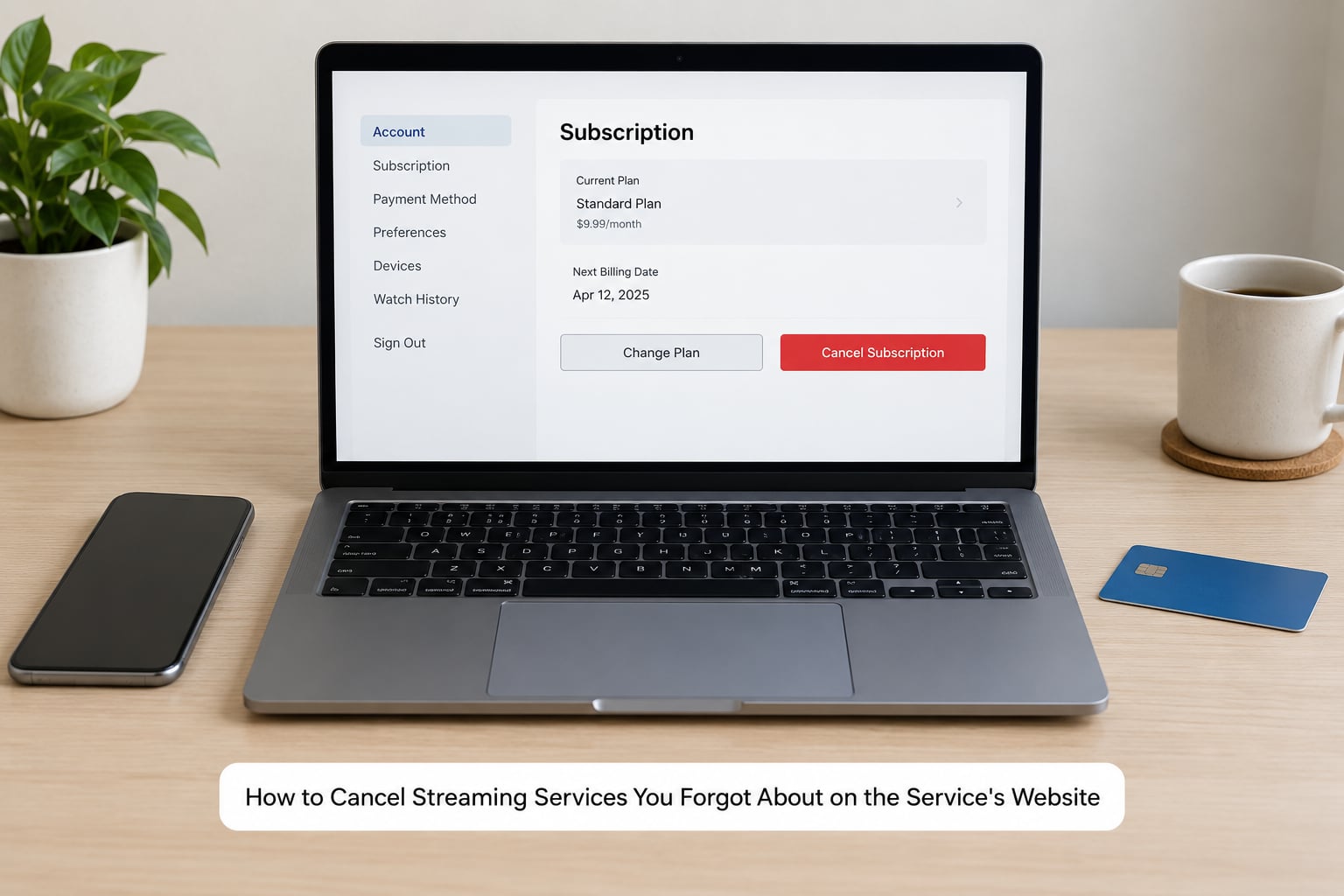
The website route gives you the most control, because that is where billing history, plan tiers and data settings live. Sign in on a laptop or desktop browser, since the mobile web version often hides some options.
- Sign in on the service’s own site. If you land on an app promo page, use the browser menu or type the address directly.
- Open your profile menu at the top right, then the account or settings page.
- Find the section named Subscription, Membership, Plan, Billing or Payments. It sits under the account menu on most services and occasionally under a separate Payments tab.
- Look at the plan name and the next billing date before touching anything, so you can match it to the charge on your statement.
- Choose Cancel subscription, Cancel plan or Cancel membership next to the active plan, not a pause or downgrade option.
- On the confirmation screen, note the date your access ends. Skip the survey if you can.
- If a retention offer appears, decline it. These are the discount-for-staying screens that make cancelling feel slow.
- Save the confirmation email or take a screenshot before you close the page.
Menu labels differ enough that a table is more useful than another generic instruction. Here is where the major US services keep the cancel option, along with the two things that trip people up most.
| Service | Where the cancel option lives | Watchlist and profiles after cancelling | Billed by a third party? |
|---|---|---|---|
| Netflix | Account, then Cancel Membership; a pause option sits alongside it | Usually kept if you resubscribe; deleting the account removes everything | Only if you bought through Apple, Google or a cable package |
| Hulu | Account page, Your Subscription, then Cancel next to the plan | Profiles and watch history generally retained | Often bundled with Disney and ESPN through a third party |
| Disney+ | Account, Subscription, then Manage Plan or Cancel Subscription | Watchlist retained, so returning is painless | Yes, frequently inside a bundle |
| Max | Account, Subscriptions or Billing, then Cancel Subscription | Profiles typically kept on the same email | Common through cable providers and mobile plans |
| Amazon Prime Video | Account, Memberships, then Manage Membership, End Membership | Watchlist kept; rented or bought titles are separate and remain in your library | Yes, and often mixed into one Amazon membership |
| Peacock | Account, Subscriptions, then Cancel Subscription | Watchlist retained | Yes, frequently through a telecom bundle |
| Paramount+ | Account, Subscription, then Cancel Plan | Watchlist retained on the same email | Common through cable and streaming bundles |
| Apple TV+ and other Apple subscriptions | Cancel in the Apple account settings on your device or at appleid.apple.com | Watchlist retained in the app | Yes, Apple is the merchant on your statement |
| Crunchyroll and similar add-ons | Account, Membership or Premium Membership, then Cancel Membership | Watchlist retained | Sometimes billed through the app store |
Treat this table as a starting point, not gospel. Plans, regions and account ages move these labels around, and some accounts bought through a partner never see a cancel button at all. If you cannot find one, that is the signal that the bundle or platform you started on is who controls the subscription.
The last row of the table is the branch people miss most. If Apple or Google took the money, the streaming service’s website cannot stop the charge. You have to go to the billing platform, and that rule also explains why a cancel screen on the service’s own site sometimes does nothing visible.
How to Cancel Streaming Services You Forgot About in the App
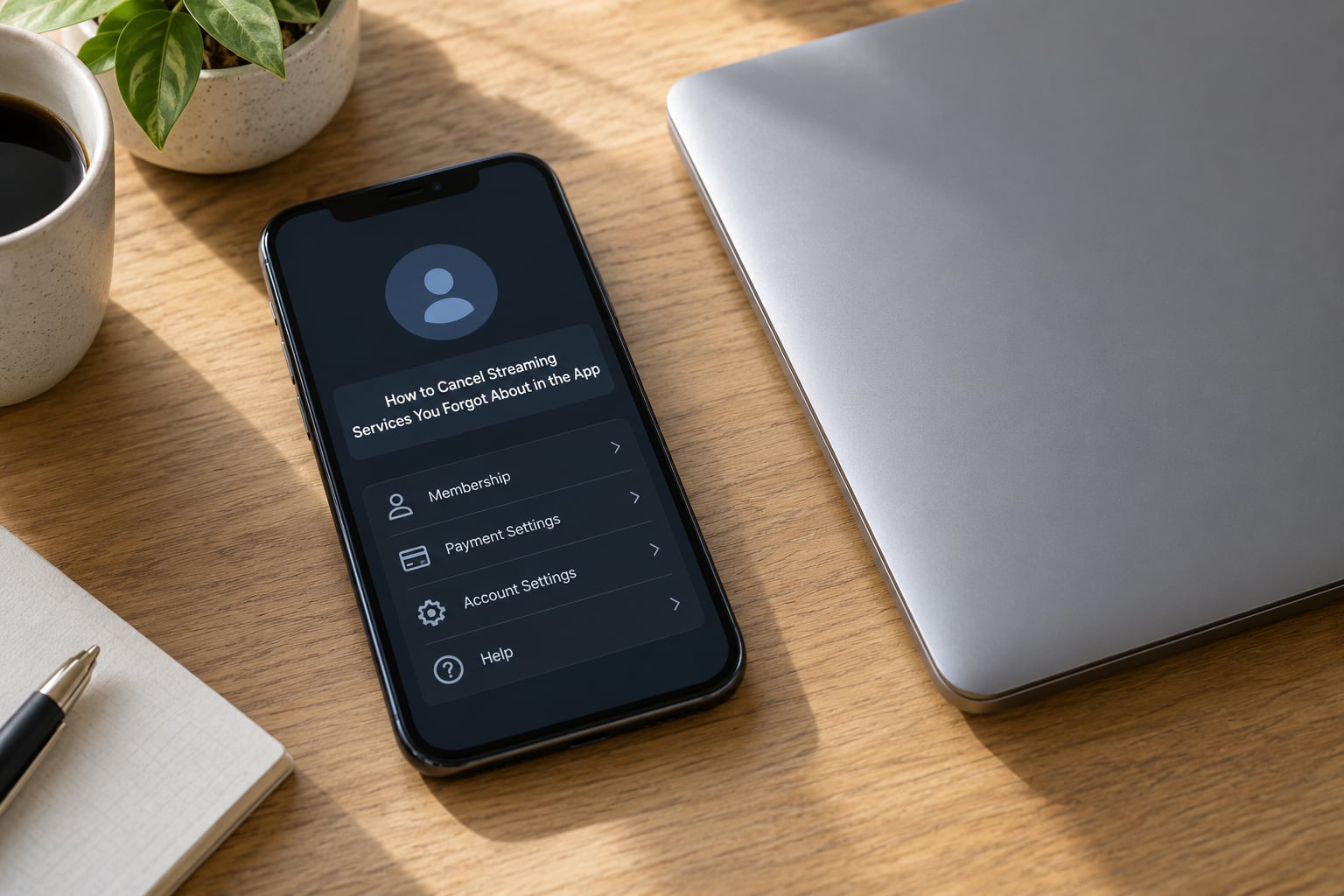
The app route is fine for cancelling, but it is a worse place to compare plans or read billing history. Most services bury the same cancellation behind a longer path than the website uses.
- Open the app and tap your profile icon, avatar or the word Account on the main screen.
- Choose the item named Subscriptions, Membership, Payments, Billing or Manage Plan. On some apps this sits under Account instead.
- Tap the active plan to see its price and renewal date.
- Choose Cancel Subscription or Cancel Membership and work through the confirmation.
- Decline any retention offer, then check that the app now shows the plan as cancelled or expired.
Two things vary enough to name. App labels change between versions, so if you do not see Subscriptions, look for a gear icon or a Help and Support entry, and check the account page rather than the app’s home screen. And if you subscribed in the app but the charge came from Apple or Google, cancelling inside the app will not work; use the device settings instead.
Apps also tend to hide the pause option behind the cancel button or the other way around, so read the label before you tap. A pause keeps the plan alive without charging and can be the better choice for a service you use seasonally.
How to Cancel Streaming Services You Forgot About Through Your Payment Provider
Use this route when you did not start the subscription yourself, when a bundle controls it, or when the service has no cancel button on the account page. It also works as a safety net after a support line failed to help.
Apple. Go to your Apple account settings on the device, or to the account page on Apple’s website, then Subscriptions. Each entry has its own cancel link. This is the right place for anything whose merchant name on your statement is Apple.
Google. In the Play Store, tap your profile picture, then Payments and subscriptions, then Subscriptions. Cancel there. Google One bundles can hide a member subscription, so open the Google One page as well.
PayPal and similar wallets. Open the wallet’s settings, then Payments or Money, then the merchant in question and Cancel payments. Most wallets describe this as stopping the payment authority rather than cancelling the subscription, and the service may reactivate on the next renewal attempt.
Your bank or card issuer. Sign in to online banking, open the card or account, and look for Payments, Recurring transactions, Manage or Manage payments. Some banks let you block a merchant or a category going forward. This is also where a dispute starts if a charge lands after you cancelled.
Two cautions. Removing a card from a service’s account does not cancel anything; it usually just guarantees the next attempt fails, and the service keeps billing you. And blocking a merchant at your bank protects your money but leaves the subscription alive, so pair it with a real cancellation wherever you can reach one.
What Happens to Your Watchlist, Profiles and Access
Cancelling stops the billing. It does not usually end your access on the spot. You keep watching until the last day of the period you already paid for, then the service stops serving you and holds your data for a while in case you return.
Watchlists and profiles are generally kept, because keeping them costs the service nothing and makes resubscribing easy. Deleting the account is what wipes them. That is the whole difference, and it is why the advice is to cancel rather than delete.
One exception worth knowing: with some services, a membership that stays deactivated past a set window eventually gets deleted along with its data. Netflix is the familiar example, where an extended lapse can remove the account and its watchlist rather than simply parking it.
While you are on the settings page, compare these four options, since they solve different problems:
- Cancel ends billing after the current period and keeps your data parked.
- Pause holds the plan without charging for a set window, with a set end date you choose.
- Downgrade moves you to a cheaper plan, which is often the difference between keeping a service and losing it.
- Delete account removes profiles, watchlists and history permanently. Rarely what you want.
Common Mistakes
Almost every cancellation problem traces back to one of nine mistakes. Each has a straightforward fix.
Cancelling the wrong account. People often sign in with a different email than the one on the subscription, land on a guest profile and wonder why nothing changed. Fix: confirm the email on the account page matches the one that received the receipts.
Cancelling on the service’s site when Apple or Google took the payment. The screen either is missing or appears to work while the renewal continues. Fix: match the merchant name on your statement to the billing platform, then cancel there.
Deleting the app instead of the subscription. Removing the app from your phone deletes nothing about the billing. Fix: uninstalling and cancelling are separate operations, and you need the second one.
Blocking the payment without cancelling. The charge fails, the account stays active, and you may get late fees or a closed account. Fix: block only as a last resort, and pair it with a cancellation.
Missing a free trial conversion. Trials often renew automatically a day or two before the reminder lands. Fix: set a calendar reminder the day you sign up for anything, and cancel from the service’s account page rather than waiting for the charge.
Ignoring the confirmation. If you do not save the email or a screenshot, you may end up proving later that you cancelled. Fix: screenshot the confirmation screen before you close the tab, and check the billing page shows no active plan.
Assuming cancellation ends access immediately. People cancel mid-period, get disappointed that the app still plays, and sometimes sign up again. Fix: write down the end date shown on the confirmation and expect access until then.
Cancelling one part of a bundle. Removing a single service from a discounted bundle can leave you paying the same amount for less. Fix: open the bundle page and read the itemised list before you cancel anything.
Forgetting the second subscription. People who signed up through a partner often have two accounts, one direct and one bundled under a cable or telecom login. Fix: after cancelling, search your statement again one month later to confirm nothing reappeared.
A simple audit routine beats a crisis cleanup. Once a quarter, spend ten minutes on your card statement, your Apple subscription list and your Google subscription list. Mark each recurring charge with the date you expect to see it next. That single habit catches a forgotten subscription within one billing cycle instead of six months.
Frequently Asked Questions
How do I find a streaming service I forgot I was paying for?
Start with your credit card and bank statements, sorted by merchant name rather than by date, and look for anything that repeats monthly. Then search your email inbox for receipt, invoice or membership, which usually names the service before the charge even lands. On a phone, check Settings, then your Apple account, then Subscriptions on iPhone, or the Play Store, then Payments and subscriptions on Android.
Can I cancel a streaming service directly through Apple or Google?
Yes, and you should if Apple or Google took the payment. On iPhone, open Settings, tap your name at the top, then Subscriptions, and use Manage Subscription on the entry you want to stop. On Android, open the Play Store, tap your profile picture, then Payments and subscriptions, then Subscriptions. Cancelling on the service’s own website will not stop a store-billed renewal.
Will canceling a free trial stop the next charge?
Yes, if you cancel before the trial converts. Free trials usually renew a day or two before the reminder email arrives, so set your own reminder the day you sign up rather than trusting the service’s. Cancel from the subscription settings of whichever platform billed you, then confirm the plan shows as cancelled and keep the confirmation email until the trial end date passes.
How can I confirm that a streaming subscription was canceled?
Look for three things. A confirmation email or on-screen message with your end date, an account or billing page showing no active plan, and the absence of a new charge on your next statement. Screenshot the confirmation screen before closing the page. If a charge appears a month later, the subscription likely lives on a bundle or a different billing platform, so check those next.
Does canceling a streaming service give me a refund?
Usually not automatically. Cancelling stops future billing and you keep access until the period you already paid for ends. To ask for a refund, contact the service or billing platform promptly with your account email, the charge date and the amount. Your bank’s dispute process is a last resort, and outcomes vary by bank and card network, so treat a refund as a request rather than an expectation.
What happens to my watchlist and viewing history after I cancel?
In most cases you keep them. Cancelling a subscription stops the charges and parks your data, so resubscribing later restores your watchlist, profiles and recommendations. Deleting your account is what permanently removes that data. One caveat: some services delete a deactivated account after a long lapse, so if you care about a list, keep a note of it elsewhere and resubscribe before that window passes.
Conclusion
Start with the suspected service’s account and billing settings, cancel the active subscription there, and then check that the confirmation message and your next statement agree. If Apple, Google or a bundle took the payment, do it on that platform instead, since the service’s own site cannot stop those renewals.
Save the confirmation, note the date your access ends, and repeat the check next month to make sure nothing reappeared. Ten minutes now is cheaper than another forgotten charge in six months.