If you are wondering what to do if your email is hacked, act in this order: change the password from a device you trust, sign out every other device and app, remove any forwarding rules the attacker added, confirm your recovery phone and email are still yours, then turn on multifactor authentication (an extra login step using your phone or an app). None of it takes more than an hour, and you can do all of it yourself.
The reason email matters more than any other account is that it holds the reset links for everything else. Your bank, your social accounts and your password manager all send a link to your inbox first, so an attacker who is sitting in your mailbox can take over your finances before you finish a second cup of coffee.
This guide covers Gmail, Outlook and Hotmail, Yahoo Mail and Apple iCloud. Menu names shift between providers and app versions, so look for the function rather than expecting identical wording. Work top to bottom, and do not skip step 3 because the password change feels like the fix.
Table of Contents
- 1What You Need
- 2Step-by-Step
- 31. Check for a Security Notice or Unauthorized Activity
- 42. Reset the Password From a Trusted Device
- 5What to Do If Your Email Is Hacked on iPhone
- 63. Sign Out Other Devices and Revoke App Access
- 74. Recover Access and Protect the Recovery Method
- 85. Check Connected Accounts and Change Reused Passwords
- 96. Warn Contacts and Undo Unauthorized Messages
- 107. Enable Multifactor Authentication
- 118. Monitor the Account and Prevent a Repeat
- 12Common Mistakes That Keep an Email Account Compromised
- 13Frequently Asked Questions
- 14Is changing my email password enough after my account is hacked?
- 15What should I do if the recovery email or phone number was also changed?
- 16Can the attacker still read my email after I change the password?
- 17Should I delete suspicious emails from my account?
- 18How do I know that my email account is secure again?
- 19Should I contact my bank or other companies after an email breach?
What You Need
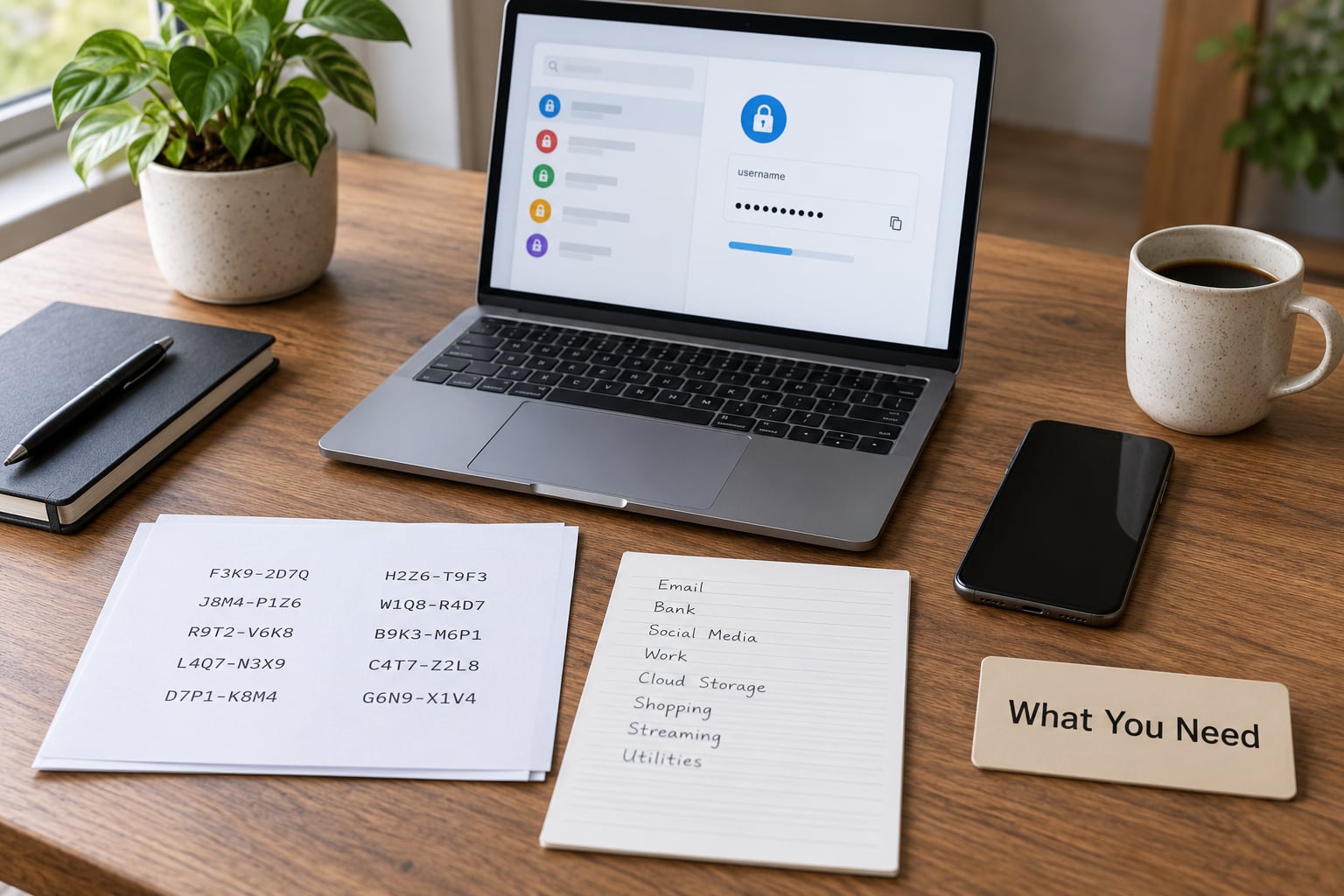
Before you touch anything, line up these five things. If you cannot get one of them, the later steps get harder fast.
- A trusted device. A laptop or desktop you are confident is clean, ideally one you have not used since before the trouble started. A phone bought new or borrowed from someone you trust works too.
- The hacked email address, typed by hand. Type the address yourself instead of tapping any link inside the suspicious message, because those links often land on a fake sign-in page built to harvest the password you are about to type.
- A password manager. If you already use one, make sure you know its master password. If you do not, this is a good moment to install one before step 2, because step 2 is where most people settle for something weak.
- A recovery method. Either the recovery phone number you still control, an alternate email address, or printed backup codes. If the attacker changed both the phone and the alternate email, skip ahead to step 4.
- The provider, named. Know whether this is Gmail, Outlook, Yahoo or iCloud, plus a way to reach support that you found yourself rather than through a link in a message.
Also worth having within reach: the contact details of anyone who handles money or accounts for you, so you can reach them by a channel that is not your own email.
Step-by-Step
Eight steps, in order. Each one assumes the previous one worked.
1. Check for a Security Notice or Unauthorized Activity
Open your provider’s official account page yourself and look for the security or recent-activity view. What you are hunting for is any sign-in you do not recognise, any message in Sent that you did not write, any password-change notification you never triggered, and any recovery detail that is not the phone number or address you expect.
Also look for silent forwarding. A rule that copies every new message to another address does not change your password, does not show up in your inbox, and keeps working after you fix everything else. Gmail keeps these under Forwarding and POP/IMAP, Outlook under Rules, Yahoo under Settings and More and then Mailboxes, and iCloud under Rules. Delete anything you did not create.
Check for filters that divert mail too, since a rule labelled something bland like Travel can be an exfiltration route. If you cannot tell whether a rule is yours, delete it and rebuild the ones you need afterwards.
2. Reset the Password From a Trusted Device
Go to the provider’s own recovery page, choose the compromised account, verify your identity, and set a new password generated by your password manager. Never set the new password from the suspicious email or text, and never do it from a shared or library computer.
Here is the part people miss: changing your password does not automatically end sessions that are already signed in. An active session is a signed-in connection that survives a password change, so if the attacker’s device stays connected you have not really fixed anything. That is why step 3 comes next.
What to Do If Your Email Is Hacked on iPhone
On iPhone, the fastest route is the provider’s own app. Open Gmail, Outlook or Yahoo, go to your account or settings screen, and look for Password, Security or Account Security. Change the password there, then use the same screen to sign out other devices or review active sessions.
If you do not have the app, use Safari and type the provider’s site yourself rather than tapping a link. In iOS Settings under Passwords you will find saved credentials, and an account you never made in person shows up with an unfamiliar site address, which is a useful clue.
Menu labels differ by iOS version and by provider, so look for Security, Password or Active sessions rather than expecting one exact name. If the account is signed out already, you may not see those controls at all until you sign back in, which is normal.
3. Sign Out Other Devices and Revoke App Access
Sign the attacker out before making any other change, because a live session can undo what you do while you work. Then remove every device and location you do not personally recognise from the sign-in activity list.
Next, revoke connected apps. Attackers commonly approve a fake app or OAuth consent screen so they can read mail without the password, and that permission survives a password reset. Google calls this third-party access, Microsoft calls it app permissions, Yahoo puts connected apps under Account security, and iCloud under Manage apps. Remove anything unfamiliar, including ones you installed and forgot about.
4. Recover Access and Protect the Recovery Method
If the password reset fails because the attacker changed the recovery phone number and the alternate email, you are in a full account takeover, and self-service reset will not work. Go through the provider’s official recovery form instead: Google, Microsoft and Yahoo each have one. Expect to prove ownership with old passwords, an approximate sign-up date and the addresses you corresponded with, so start gathering that while the form is open.
Once you are back in, correct the recovery phone and alternate email immediately, then generate fresh backup codes. Anyone who can answer those recovery methods can take the account back, so treat them as part of the password itself.
Ignore any message claiming to be from the provider and demanding payment to restore your mail. Those are extortion attempts and no legitimate provider works that way. Never give anyone a one-time code, including someone claiming to be support, and do not search for a recovery number until the address you typed yourself.
5. Check Connected Accounts and Change Reused Passwords
Your inbox was probably opened to reset other accounts. Work outward from the email itself in this order: the password manager next, because it holds every other credential, then banking and payment services, then cloud storage, then social accounts, then everything with a saved card.
Open each account’s own sign-in activity while you are there, so you can see whether anyone else has been inside. Then give each one a unique password and its own multifactor authentication. If a bank or payment account shows a sign-in you do not recognise, call the number on the back of the card rather than the number in an email.
6. Warn Contacts and Undo Unauthorized Messages
Go through Sent and delete or report anything fraudulent, and cancel drafts you did not write, because a queued draft can send itself later. Report the phishing messages to your provider so similar ones stop reaching other people.
Then warn people through a channel that is not your email: text, phone call or a social account. Forum threads about hacked accounts always include the same worry, that contacts will think you sent them malware, and it is far less awkward to say it plainly than to let it sit. A short note works: My email account was compromised. Ignore any message from me asking for money, passwords, gift cards or login details, and delete it. I have changed my password and locked the account down.
Do not send payment or credential requests from the recovered account, even to people you know. Wait a few days before using it for anything sensitive, and watch for delayed phishing that uses details only your contacts would recognise.
7. Enable Multifactor Authentication
Turn on multifactor authentication now, while you still know the account is yours. An authenticator app or a hardware security key is stronger than SMS, which is vulnerable to SIM-swapping, so pick the app or key if your provider supports it.
Store the backup codes somewhere offline, printed or in a password manager, and not only on the phone you use for two-step login. Then test it: sign out and sign back in using the second factor before you walk away.
One warning worth stating plainly: multifactor authentication does not help if the attacker already controls your phone or your recovery email. Those two channels need the same treatment as the inbox, which is why step 4 matters.
8. Monitor the Account and Prevent a Repeat
Run a 30-day checklist. Keep security alerts on, keep your operating system and browser updated, keep using the password manager, and confirm your recovery details are still correct at the end of the month. If suspicious activity continues, report it to the provider and, for anything involving money, to the FTC at consumer.ftc.gov or the FBI’s IC3 at ic3.gov.
You can confirm the account is secure again in four checks. A fresh sign-in from your own device succeeds without any unusual prompt. Your sign-in activity lists only devices you recognise. No forwarding rule, filter or connected app you cannot explain. And no message in Sent that you did not write.
If the account still shows odd behaviour after all of that, the device is the likely reason. A forwarding rule an attacker added usually means malware, such as an infostealer that stole saved passwords and session cookies, and that warrants a full rebuild rather than a scan. No forwarding rule and no unknown app usually means the password alone leaked, and a scan plus a clean install is enough.
Common Mistakes That Keep an Email Account Compromised
Replying to the attacker or the scam. A reply confirms the address is live and can restart a conversation. Example: someone threatening to release private mail usually follows up when the victim answers. Delete it and report it instead.
Changing the password before securing the device. If an infostealer is still running, the new password gets typed straight into the attacker’s log. Example: you reset, the session survives, and the same inbox forwards mail again two hours later. Scan first, then reset.
Keeping multifactor authentication on an already compromised phone. Codes sent to a phone the attacker controls defeat the purpose. Example: a takeover where the attacker added their own number as a recovery contact. Reset the recovery methods before trusting the second factor.
Deleting evidence before reviewing it. Emptying the trash loses the fake payment requests your bank will ask to see. Screenshot the Sent folder and the sign-in list first, then delete.
Failing to revoke sessions and app access. A password change is not a session change. Example: a connected app still reads mail for weeks afterwards. Revoke both, every time.
Using recovery links from inside the suspect inbox. Those links are how the attacker gets back in. Open the provider’s site yourself, typed by hand, or use its app.
Frequently Asked Questions
Is changing my email password enough after my account is hacked?
No. Changing the password leaves active sessions, connected apps and forwarding rules untouched, so the attacker can keep reading mail or receive a silent copy of every new message. Reset the password, then sign out other devices, remove unknown apps and delete forwarding rules before you assume you are done.
What should I do if the recovery email or phone number was also changed?
That is a full account takeover and normal password reset will not work. Use the provider’s official account recovery form, gather proof of ownership such as old passwords and your approximate sign-up date, and be patient. Once you regain access, correct both recovery details first, then generate new backup codes.
Can the attacker still read my email after I change the password?
Possibly. A signed-in session or an approved app can keep access after a password reset, which is why you must sign out other devices and revoke app permissions. A forwarding rule can also copy every incoming message to another address without anyone signing in at all. Check for both before you trust the account.
Should I delete suspicious emails from my account?
Do not delete them straight away. Screenshot anything that shows fraud, such as fake payment requests, before clearing it, because your bank or the police may ask what was sent in your name. Report the message to the provider, then delete it and empty the trash once you have your copies.
How do I know that my email account is secure again?
Run four checks: sign in fresh from your own device and confirm no unexpected prompt, review the sign-in activity for any device you do not recognise, confirm there is no forwarding rule, filter or connected app you cannot explain, and read through Sent for messages you did not write. If all four are clean, the account is back under your control.
Should I contact my bank or other companies after an email breach?
Yes, if any financial account reused the compromised password or shares your recovery email. Call the number printed on the card rather than anything in an email, ask them to check for sign-ins you did not make, and confirm your contact details have not been changed. You can also report fraud to the FTC at consumer.ftc.gov.
If you take three things from this: reset the password from a device you trust, sign out every other device and app, and check for forwarding rules. Then fix the accounts that reused that password, starting with your password manager and your bank. Everything else on this list is worth doing, but those three decide whether you still have the mailbox tomorrow.