How to take better notes while learning online comes down to three jobs: capture the ideas that matter, organise them so you can find them again, and turn them into recall prompts you actually use. Transcribing every sentence is none of those things. This system takes about twenty minutes of setup, then roughly ten minutes of work per hour of lesson.
If your notes are currently a wall of copied text, the fix is rarely a better app. It is a structure, a stopping rule, and a review habit. The seven steps below give you all three, and each one works for a live Zoom class and a prerecorded lecture you watched three weeks late.
A short version while you read: write less, label everything, tag it back to a timestamp, keep a separate list of questions, and convert the important ten per cent into questions you have to answer from memory.
Table of Contents
- 1What You Need
- 2Step-by-Step: How to Take Better Notes While Learning Online
- 3Step 1: How to Take Better Notes While Learning Online in Real Time
- 4Step 2: Preview the Lesson
- 5Step 3: Capture Ideas Instead of Copying Word for Word
- 6Step 4: Add Timestamps and Source Details
- 7Step 5: Record Questions While They Are Fresh
- 8Step 6: Turn Notes Into Recall Material
- 9Step 7: Review and Improve the Notes Within 24 Hours
- 10Common Mistakes
- 11Quick Tips for Better Online Notes
- 12Frequently Asked Questions
- 13Should I take notes during a live online class or wait for the recording?
- 14What is the best app for taking notes during online classes?
- 15Is handwriting better than typing for online learning?
- 16How do I take useful notes when a video moves too fast?
- 17How often should I review notes after an online lesson?
- 18Why do my online class notes feel confusing later?
- 19Conclusion
What You Need
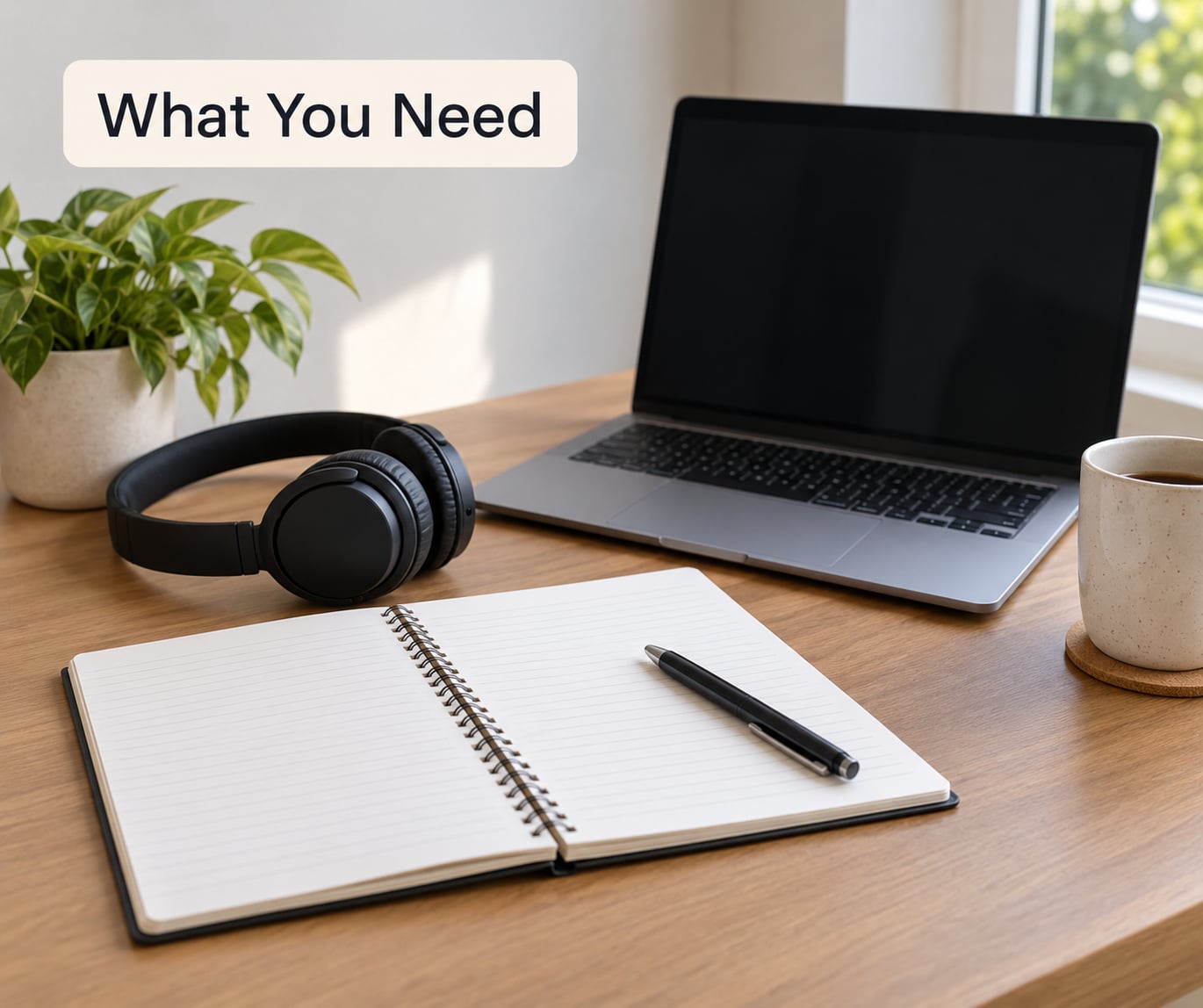
You need five things, and only one of them is software. None of this requires a specific brand or a paid subscription. If you are missing something below, that is usually why your notes feel useless later.
- One capture tool. A paper notebook or a single notes app you have already set up. The cost of switching tools is higher than most people expect, because you rebuild your layout every time you switch.
- A fixed note page with named fields. A lesson title, the learning objective, key ideas, examples, questions and action steps. If your page starts blank every time, you will spend the first ten minutes of every lesson deciding what to write.
- Access to the lesson materials. Slides, the syllabus description, the reading, the assignment brief. Notes made against a source survive the video.
- A pause and screenshot habit. Every video player lets you pause and grab a frame. Treat the pause button as part of the method rather than as cheating.
- A question inbox. One place, separate from your notes, where anything you did not understand goes the moment you notice it. A phone voice memo works if typing would slow you down.
The one piece I would not skip is the question inbox. Problems you do not write down while the lesson is running tend not to get written down at all, and an unanswered question from week two is still an unanswered question at exam season.
For the tool itself, most people do best by keeping it deliberately boring. A notebook works. A document with a good heading structure works. So do Notion, Obsidian, OneNote, Google Docs and RemNote, each for different reasons, and the honest comparison is that none of them will rescue a system that has no stopping rule.
Step-by-Step: How to Take Better Notes While Learning Online
The workflow has seven steps and three moments: before the lesson, during it, and after it. The order matters. Students who try to do step seven without steps one and two end up rewriting clean notes they never actually used.
- Set up the lesson page with fixed fields before you start.
- Preview the lesson so you know where the attention needs to go.
- Capture ideas in your own words instead of transcribing sentences.
- Attach timestamps and source details to each note.
- Log questions the moment they appear, sorted by type.
- Turn the important notes into recall material.
- Review and repair the notes within twenty-four hours.
Step 1: How to Take Better Notes While Learning Online in Real Time
Build the page before the lesson starts, with six fields you fill in as you go: objective, key ideas, examples, questions, actions and gaps. Ten minutes of setup buys you a page where every line already has a job.
The objective field matters most. Copy the learning outcome from the syllabus, or write it yourself in one sentence: after this lesson I should be able to explain what a compiler does and why it complains about type mismatch. Once that is on the page, you have something to check yourself against later.
Fill the fields as you listen rather than leaving them blank. Objective gets the syllabus wording, key ideas get your condensed version, examples get the instructor’s worked examples, questions go to the inbox, actions get anything assigned, and gaps get a single line saying what you did not follow.
You know this step worked when, ten minutes after the lesson ends, you could show someone the page and they would know what the lesson covered and where you struggled. If your page reads like a subtitle file, the fields are decorative and you should rebuild it.
Step 2: Preview the Lesson
Spend five minutes with the lesson’s headings, prompts and vocabulary before pressing play, and you will know in advance where your attention has to be. Ten minutes of preview is cheap insurance against the moment at minute forty where the whole thing stopped making sense.
Read the slide titles, the section headings in the reading, and the discussion prompt if there is one. Underline the three terms you cannot define from memory. Write your two or three existing questions at the top of the page, because you will not remember them by the end.
Previewing also tells you what to skip. Long worked examples in a recorded lecture are usually downloadable or written out, so you can listen at double speed and copy them properly afterwards instead of half-copying them in real time.
The signal that previewing worked is simple: you caught at least one question before the lesson started. If you finished the preview with nothing written down, you skimmed instead of previewed.
Step 3: Capture Ideas Instead of Copying Word for Word
Write the meaning, not the sentences. If the lecturer spends three minutes explaining that photosynthesis converts light energy into chemical energy, your note is one line: photosynthesis converts light to chemical energy, plus a symbol for plant cells. Your paraphrase forces you to process it, and that processing is the learning.
Different material wants a different shape, which is why people get stuck. Pick the structure that matches the content rather than forcing everything into one template.
| Method | Best for | Effort | Where it stops working |
|---|---|---|---|
| Cornell | Lectures with a steady flow of claims and examples; most first-year subjects | Medium, needs a fixed page layout | Derivations, code, and anything mainly visual |
| Outline | Reading-heavy modules and topics you already partly understand | Low, you just need headings and indentation | Fast verbal lectures, because the structure has to be built while you listen |
| Mind map | Hierarchies and processes; getting the shape of a topic before detail | Medium, slow to build accurately | Dense detail-heavy content where every branch needs notes |
| Chart or comparison grid | Comparing three or more things, such as types of memory or causes and effects | Medium to high, you must know the rows in advance | Material that is narrative rather than comparable |
| Split page | Live sessions where you cannot watch and write at the same time | Low, needs discipline about which half to use | Later review, because the format shows no structure |
The Cornell system is the most widely taught, and it works because it forces a summary and question cues rather than a transcript. Its three parts are a wide notes column, a narrow cue column holding keywords and questions, and a summary strip across the bottom written in your own words after the lesson. Its weakness is the same as its strength: the rigid page fights you on derivations, code and anything visual.
Two named rules float around study advice and are worth knowing, with a caveat. The 5 R’s are Record, Reduce, Recite, Reflect and Review, which describe the same capture-then-recall loop this guide uses. The 1/3-5/7 rule is a rough study-time budget: roughly a third of your time writing notes, more of it reviewing them, and more again self-testing. Versions of both differ, and neither is a finding from a controlled trial. Use them as prompts for judgement, not as rules to obey.
Dual coding explains most of the successful variations. Material encoded twice, once in words and once as an image, diagram or arrow structure, is generally easier to recall than words alone. Adding a small sketch or a relationship arrow to each section is cheap and pays off at revision.
Then there is the moment every online learner dreads, when the video keeps moving and your note is forty seconds behind. Four rules handle it:
- Pause. Nobody is watching you. A two-minute pause is cheaper than a permanent hole in the notes.
- Screenshot. A frame of the slide is a legitimate marker. It is not a note, but it tells you where to come back.
- Record the timestamp and one word. That single word is enough to find the moment in the recording later.
- Accept the gap. Two or three gaps are fine. The lesson exists to be rewatched, and the review step is where you repair them.
You know step three worked when your page can be read in under a minute and still tells you what the lesson was about. If you need to read every line to understand your own note, you transcribed.
Step 4: Add Timestamps and Source Details
Write the timestamp next to every significant note, and notes stop being a dead end. Fifteen minutes at 42:10 is a place you can return to, whereas a paragraph of text is a place you have to search.
The timestamp belongs beside the note it explains, not in a separate list. For a live class, the section number works just as well. For slides, note the slide number and the file name. For readings, note the page or section.
Source details matter for a dull reason: when your notes turn out to be wrong or incomplete three weeks later, you need to know where to check. A note that says idea section 1.4 is far easier to verify than one that says something about pricing models.
The quick test is to pick any note at random and be able to get back to the original explanation in under two minutes. If you cannot, the note is not connected to anything yet.
Step 5: Record Questions While They Are Fresh
Sort questions as they arrive, because a single undifferentiated list turns into a list you never open. Use three types and keep them visually separate.
Clarification questions are things you did not understand: what does idempotent actually mean here? Personal questions are things you want to know: could this approach work for a very small dataset? Research questions are things the lesson raised but did not answer: how does this compare to the standard method?
Write the question in your own words and mark the timestamp that prompted it. A clarification question at 18:40 is worth more than the same question written at the end of the lesson with no timestamp, because the second one has no context.
Ask clarification questions in the discussion board or the next session, with the timestamp attached. Instructors answer a specific question with a specific moment far more readily than a general request for clarification.
You know this step worked when your inbox is empty or neatly labelled at the end of the session. A list of nine undifferentiated questions is a sign you were not sorting as you went.
Step 6: Turn Notes Into Recall Material
Notes become useful when you have to do something with them. Turn the important ten per cent of a lesson’s notes into material that forces you to recall rather than recognise, because rereading feels productive and tests nothing.
Four formats cover almost everything. A summary of three lines at the top of the page, written with the notes closed. Flashcards, one idea per card, with the cue being a question rather than a term. Practice questions you write yourself, including ones that ask why. And a diagram or concept map, which forces relationships into the open where you can see what you have missed.
The summary is the highest-value, lowest-effort item. If you can write three lines that capture a two-hour lesson, you understood it. If you cannot, that tells you exactly what to rewatch.
For flashcards, spaced repetition matters more than card design. Cards you review on day one, day three, day seven and day sixteen beat forty cards reviewed once. A simple Leitner setup with three boxes, correct cards moving up and wrong cards dropping back, is enough to start.
Keep these recall prompts out of the note file itself. Mixing them into your notes makes one document serve two incompatible jobs, and you will find yourself rereading instead of recalling.
The signal here is uncomfortable but reliable: cover the notes and see how much you can say. Anything you cannot say is what you study next.
Step 7: Review and Improve the Notes Within 24 Hours
Review the notes the same day, for twenty minutes, in four passes. Same day matters because the lecture is still in short-term memory, and the gaps you left at minute forty are still findable.
First pass, completeness: check the objective field and ask whether the notes actually deliver it. Second pass, questions: work through the inbox, answer what you can now, and move the rest to the discussion board. Third pass, clarity: fix the lines you cannot read, expand the abbreviations only you understand, and mark anything still unclear. Fourth pass, flags: highlight the three sections you could not recall in step six, because those are your revision list.
Finish by blurring the page. Cover it, write down everything you remember, then check. Blurting feels awkward and takes five minutes, and it is the fastest way to find the gaps that rereading hides from you.
Notes that skip this step decay fast. A lecture note with no summary, no questions and no flags is a transcript that you will recognise in December and still not be able to reproduce.
Common Mistakes
Five failures account for most disappointing online notes, and each has a direct correction.
Copying the whole lesson. Fix: cap your page. If you fill an entire page of keywords during one hour of lecture, you wrote too much. Aim for keywords, short lines and arrows, roughly a third of a page per hour for most courses.
Blank-page paralysis. Fix: start from a template rather than an empty page, and accept a rough first pass. A bad first page you finish beats a beautiful layout you keep postponing.
Screenshots instead of notes. Fix: keep them as markers with a timestamp and one word of context. A folder of screenshots with no labels produces nothing you can use later, which is exactly what students report.
No review at all. Fix: put a twenty-minute review block in your calendar at the time you finish the lesson. Notes reviewed within a day are worth several times notes reviewed at the end of the module.
Notes scattered across the module. Fix: one naming convention, one folder structure, one naming pattern per course, decided at the start of the term. Retrofitting order onto six months of notes is the task people abandon.
Quick Tips for Better Online Notes
A few habits that pay off quickly. Use meaningful abbreviations only, so that every abbreviation is searchable later. Write down the instructor’s examples, since worked examples are usually the closest thing a lecture gives you to a practice problem. Keep the question inbox genuinely separate, so it never gets buried under an hour of notes.
Make notes skimmable. Someone skimming for thirty seconds should be able to find the argument, the examples and the open questions. Bold keywords, indent subordinate ideas, and keep lines short enough to read at arm’s length.
If you have ADHD, executive dysfunction, or simply lose track of a long recording, shrink the unit of work rather than trying harder. Watch a ten-minute segment, write three lines, stop. Build the session from those short blocks instead of one ninety-minute sitting, and let the first line of the page be a timer or a single small target.
If you are on a phone or on poor bandwidth, the fix is preparation, not a better app. Download slides before the lesson, keep the note template where it is one tap away, and plan to fill gaps from the transcript afterwards rather than fighting to keep up live.
Frequently Asked Questions
Should I take notes during a live online class or wait for the recording?
Take them during the live class, but only lightweight ones. The lecture is freshest while it happens, so keywords, timestamps and questions go down in real time. Leave the detailed write-up for afterwards, using the recording or transcript to fill gaps. Waiting for the recording entirely means you will be writing from a cold reading rather than an active listening.
What is the best app for taking notes during online classes?
There is no single best app, because the deciding factor is whether you will actually use it consistently. Any tool with headings, search and easy timestamps will work: a document, a notebook app, or a dedicated app such as Notion, Obsidian, OneNote or RemNote. Pick one, set up your template, and resist switching for the rest of the term.
Is handwriting better than typing for online learning?
Neither wins outright, and the research is genuinely mixed. Handwriting tends to slow you down, which filters out detail and forces you to decide what matters, and students often report better retention from it. Typing is faster, searchable and easier to turn into flashcards. A sensible compromise is to type keywords during the lesson and handwrite the summary afterwards.
How do I take useful notes when a video moves too fast?
Pause without guilt. Every video player has a pause button, and two minutes of silence costs you far less than a permanent hole in your notes. If pausing breaks your concentration, take a screenshot, note the timestamp and one keyword, then keep listening and patch the gap from the recording or transcript later.
How often should I review notes after an online lesson?
Review them the same day, for about twenty minutes, then return to them at spaced intervals. Same-day review repairs gaps while the lecture is still recallable, and spaced returns on roughly days three, seven and sixteen do more for retention than repeated rereading in one session. Twenty focused minutes beats an hour of skimming.
Why do my online class notes feel confusing later?
Usually because they were written for the moment rather than for later. Unlabelled bullets, unexplained abbreviations and no summary mean the only person who could read them was you, hours earlier, with the lecture still in your head. Fix it by adding headings, a three-line summary and question cues, and by writing each note in words you would use explaining it to someone else.
Conclusion
Do one thing before your next lesson: build a single page with six fields, objective, key ideas, examples, questions, actions and gaps, and use it for the whole session. Then capture ideas rather than sentences, tag every significant note with a timestamp, and sort your questions as they appear instead of afterwards.
Finish the same day with a three-line summary and a handful of recall prompts. Twenty minutes of that work is what turns a recording into something you can revise from, and it is the part almost everybody skips.